

f you've ever tried to capture clean voiceover or testimonial audio inside a working factory, you already know the problem: the machinery wins. A constant din of CNC routers, press brakes, or ventilation systems can instantly render a high-value video useless, forcing expensive ADR (Automated Dialogue Replacement) or subtitles.
But the real struggle isn't the noise; it's the wasted time of having to stop production repeatedly just to record a line of script. This is not about expensive gear; it's about technique. Based on our experience filming complex environments—from aerospace facilities in Golden, CO, to heavy industry sites—here are four techniques we use to achieve clean audio on the loudest factory floors.
1. Close-Mic the Source
(The 1-inch Rule)
The most basic principle of audio is the Inverse Square Law—sound pressure decreases dramatically the further you get from the source. In a factory, you must exploit this.
Never rely on a microphone placed three feet away. We utilize small lavalier microphones (lapel mics) placed as close as possible to the speaker's chest or collar—ideally no more than one inch from the mouth's sound path.
The Utility: By placing the mic an inch away from the speaker, the audio from their voice (the signal) is much louder than the background machinery (the noise). This provides an excellent signal-to-noise ratio that even basic professional audio gear can capture cleanly.
The Implementation: If the speaker is wearing PPE (like a safety vest), the microphone may need to be carefully taped to their safety glasses strap or inside their mask, prioritizing proximity over visibility.
2. Isolate the Interview with Acoustic Blankets
(Portable Sound Booth)
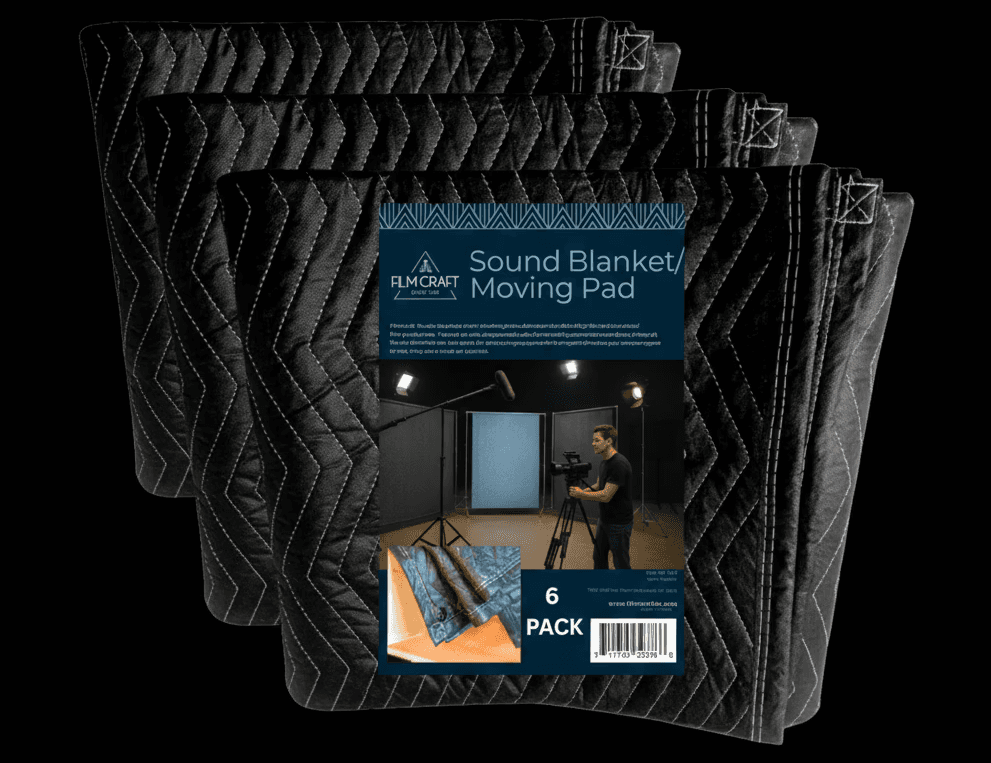
A standard project manager interview often happens near the action, where the light is best. To capture professional audio, you need to create a temporary sound absorption zone, even if the plant is running nearby.
We use heavy, sound-dampening acoustic blankets (often sold for moving or soundproofing studio spaces) to create a three-sided "fort" behind the camera.
The Utility: These thick, heavy blankets absorb high-frequency echoes and significantly deaden the machinery noise coming from the plant floor behind the interviewee. While they won't stop the rumble of a major HVAC unit, they can reduce reflection and make the dialogue much tighter and clearer.
For Golden's Technical Sector: If filming in a high-tolerance facility (like those specializing in precision parts in Golden), this technique allows you to capture necessary voiceover without having to halt highly specialized, time-consuming operations.
3. Record "Room Tone" (A Digital Fingerprint)
This is a critical editing hack that saves every loud audio track. Room tone is 30 seconds of pure, silent audio recorded at the start or end of the shoot—meaning the interview subject is silent, but all the normal factory machinery is running.
The Utility: In editing, no dialogue audio track is perfectly clean. When the speaker stops talking, the silence will often sound abruptly different from the background hum when they were speaking. The room tone provides a digital "fingerprint" of the ambient noise.
The Implementation: The editor can layer this clean room tone underneath the dialogue track, creating a continuous, consistent background hum. This makes the edits seamless and masks the aggressive digital noise reduction required to clean the voice, ensuring a smoother, more professional sound.
4. Anchor Your Script in the Post-Video Assessment
Never rely on a single microphone in an industrial setting. The risk of radio interference from machinery, or a mic cable getting snagged, is too high.
We use two types of microphones simultaneously on every shoot:
A hardwired lavalier: Placed directly on the subject (as per the 1-inch rule). This provides the primary, high-quality signal. We like the DJI mic for our shoots.
A shotgun microphone: Mounted directly on the camera, pointed at the subject. This acts as a high-gain backup, recording the general scene and capturing the acoustic environment of the plant. We use RODE microphones for this task.
The Safety Net: If the wireless lavalier cuts out or experiences interference from an industrial radio signal, the shotgun mic is your audible insurance policy. Furthermore, mixing a touch of the shotgun mic’s ambient noise with the clean lavalier dialogue adds necessary context, making the interview sound less sterile and more authentic to the factory environment.
5. Fix It In Post
If the noise floor is still too high after the shoot, you have two primary options for surgical noise removal in post-production. The choice depends on the severity of the noise and your tolerance for artifacting.
Method A: The AI-Powered Quick Fix (Adobe Podcast)
For minor background hum or intermittent noise, the simplest method leverages Artificial Intelligence to instantly clean the audio.
Upload the File: Navigate to the Adobe Podcast Enhance Speech tool (https://podcast.adobe.com/en/enhance) and upload the raw audio file.
AI Processing: The platform's AI algorithm analyzes the file, detects speech patterns, and separates the voice from the background noise, prioritizing clarity and removing the industrial din.
Download and Review: Download the enhanced file. This method is fast and often produces excellent results, but it can occasionally introduce subtle, robotic-sounding artifacts if the original noise was too loud.
Method B: Surgical Noise Removal (Adobe Audition)
For consistent, steady noise (like a constant HVAC hum or a steady machine frequency), Adobe Audition provides a precise method for removing the specific "fingerprint" of the unwanted sound.
Capture the Noise Print: Open the audio file in Adobe Audition's Waveform Editor. Select a 1–2 second segment of the audio where only the background noise is present (e.g., a moment before or after the speaker talks).
Learn the Noise: Go to Effects > Noise Reduction / Restoration > Capture Noise Print. Audition uses this sample to understand what sounds should be removed.
Apply Reduction: Select the entire audio file. Go back to Effects > Noise Reduction / Restoration > Noise Reduction (Process).
Adjust Threshold: In the dialog box, use the Noise Reduction and Reduce By sliders. Start with moderate settings (e.g., Noise Reduction at 60%, Reduce By at 10 dB) and slowly increase until the unwanted machinery noise disappears, being careful not to make the voice sound thin or processed. Always preview the result before applying.
Key Takeaways for Utility
Clean audio is the fastest way to convey professionalism and authority to an engineering audience. By applying these focused techniques, you avoid the cost of production downtime and the inevitable delay of having to fix unusable audio in post-production. It's about capturing a technical process in a professional way that respects the live environment.
About the author: